Beats Studio Buds+ or Galaxy Buds FE? Which is better for Android?

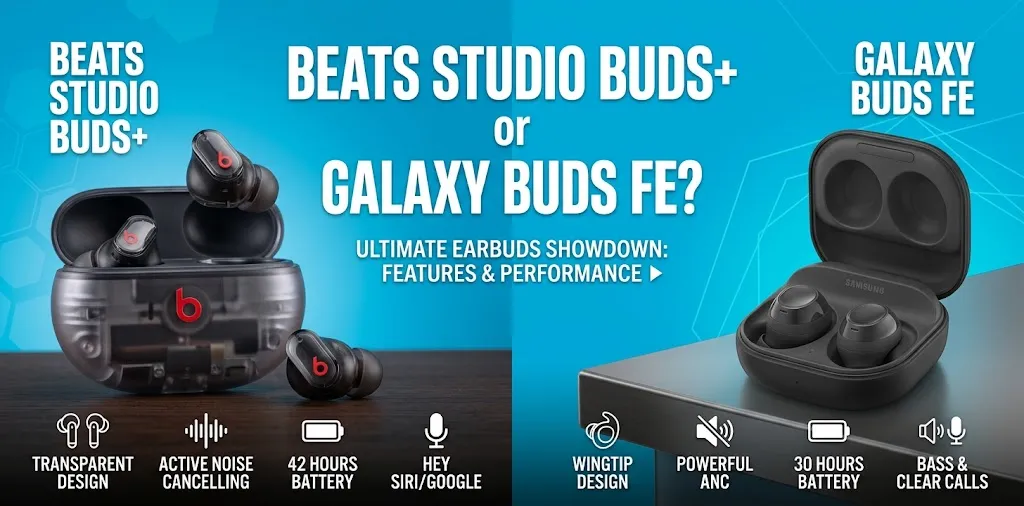
If you use an Android phone, both the Beats Studio Buds+ and Samsung Galaxy Buds FE are solid wireless earbuds, but they serve different users. Galaxy Buds FE are the better choice for Samsung Galaxy owners, thanks to deeper Samsung integration and a secure fit. Beats Studio Buds+ are better for Android users who want broader compatibility, longer battery life, and easier switching between Android and other platforms.
The choice becomes easier once you look beyond the brand names. The Galaxy Buds FE were designed around Samsung’s Android ecosystem, while the Studio Buds+ were built to work well across both Android and Apple devices.
Beats Studio Buds+ vs Galaxy Buds FE at a Glance
| Feature | Beats Studio Buds+ | Samsung Galaxy Buds FE |
|---|---|---|
| Best for | Android users who want cross-platform flexibility | Samsung Galaxy users |
| Android support | Google Fast Pair, Audio Switch, Find My Device | Galaxy Wearable app, Auto Switch, SmartThings Find |
| ANC | Yes | Yes |
| Transparency/Ambient mode | Transparency | Ambient Sound |
| Battery per charge with ANC off | Up to 9 hours | Up to 8.5 hours |
| Total battery with case, ANC off | Up to 36 hours | Up to 30 hours |
| Battery per charge with ANC on | Up to 6 hours | Up to 6 hours |
| Water resistance | IPX4 | IPX2 |
| Earbud weight | 5g each | 5.8g each |
| Ear fit | Traditional silicone ear tips | Ear tips plus stability fins |
| Charging | USB-C | USB-C |
| Wireless charging | No | No |
| Android app | Beats app | Galaxy Wearable |
| Best ecosystem | Android + Apple | Samsung Galaxy |
| Available |  | |
The published battery figures come from the manufacturers, so actual results will vary with volume, ANC use, connection strength, and other settings. Samsung also notes that some Galaxy Buds FE features may not be available on non-Samsung Android phones.
Which Is Better for Android?
For Android as a whole, the Beats Studio Buds+ have a small advantage in flexibility. They support Google Fast Pair, Audio Switch, and Google’s Find My Device network, and the Beats app brings several controls to Android. Beats also gives you up to 9 hours of listening from the earbuds with ANC off and up to 36 hours with the case.
But if your Android phone is a Samsung Galaxy, the answer changes. The Galaxy Buds FE make more sense because Samsung built them specifically around its Android ecosystem. Samsung lists Galaxy Wearable support, Auto Switch, SmartThings Find, and Samsung’s own audio features.
So the simple answer is:
- Samsung Galaxy phone: Galaxy Buds FE
- Google Pixel or other Android phone: Beats Studio Buds+
- Android + iPhone user: Beats Studio Buds+
- Longer battery: Beats Studio Buds+
- More secure workout fit: Galaxy Buds FE
- Better Samsung integration: Galaxy Buds FE
Android Compatibility and Features
Compatibility is one of the biggest differences between these two earbuds.
Beats Studio Buds+ on Android
Beats made the Studio Buds+ unusually Android-friendly for a Beats product. Google Fast Pair lets compatible Android devices detect the earbuds and show a quick pairing prompt. Beats also supports Audio Switch between compatible Android, Chromebook, and other devices, along with Find My Device.
The Beats app adds controls and software updates. You can also customize the press-and-hold control, which can be useful if you want quick access to ANC, Transparency mode, volume, or your phone’s assistant.
That makes the Studio Buds+ a good fit if your Android phone is not made by Samsung.
Galaxy Buds FE on Android
Galaxy Buds FE are more closely tied to Samsung’s software. Samsung lists the Galaxy Wearable app for Android, Auto Switch, SmartThings Find, and support for Android 8.0 or later with at least 1.5GB of RAM. Samsung also warns that some features may not work on non-Samsung devices.
That distinction matters.
If you have a Galaxy phone, the Buds FE can feel like a natural extension of the phone. If you have a Pixel, Motorola, OnePlus, or another Android phone, the Beats approach may be more appealing because its Android features are less dependent on Samsung’s ecosystem.
Sound Quality: Which Sounds Better?
Neither pair is an obvious winner for every listener. The Beats Studio Buds+ use a two-layer transducer and are tuned for a balanced but energetic presentation. Independent reviews generally describe them as capable all-around earbuds, although they lack higher-quality codecs such as LDAC or aptX.
The Galaxy Buds FE use a single dynamic driver and have a sound profile with a stronger bass presence. Samsung specifically promotes their deep bass, while independent testing has found them capable of delivering enjoyable everyday sound at their price level.
If you listen mostly to vocals, podcasts, rock, acoustic music, or mixed playlists, the Beats may be the safer all-around choice. If you enjoy a fuller, bass-focused sound, the Galaxy Buds FE may be more appealing.
Neither pair offers the advanced audio customization you would get from some more expensive earbuds.
Noise Cancellation and Transparency
Both models have ANC and a mode that lets outside sound in.
The Studio Buds+ use Active Noise Cancelling and Transparency mode. Beats says its upgraded ANC system has up to 1.6 times the ANC performance of the original Studio Buds and uses larger microphones and redesigned acoustic vents.
The Galaxy Buds FE use ANC and Ambient Sound. Independent testing has found the Buds FE particularly useful for commuting because they can reduce a range of outside sounds while maintaining a comfortable fit.
For everyday Android use, both are capable. Your ear fit will also affect how much outside noise gets through. A poor seal can reduce both passive isolation and the effectiveness of ANC.
If you regularly ride a bus or train, the Galaxy Buds FE’s snug fit is a meaningful advantage. If you move between different devices and want a more platform-neutral experience, the Beats remain attractive.
Which Is More Comfortable?
Comfort is personal, but the designs take different approaches.
The Studio Buds+ are small and lightweight at 5 grams per earbud. Beats includes four ear-tip sizes—XS, S, M, and L—which gives you more options for finding a good seal.
The Galaxy Buds FE weigh 5.8 grams per earbud and add stability fins that sit against the ear. This design helps keep them in place, particularly when you’re moving around.
For someone who spends hours listening at a desk, the lightweight Studio Buds+ can be appealing. For someone who walks, runs, or works out, the Galaxy Buds FE’s stability fins can be more useful.
The best option still depends on your ear shape, so comfort cannot be judged from weight alone.
Battery Life: Beats Studio Buds+ Wins
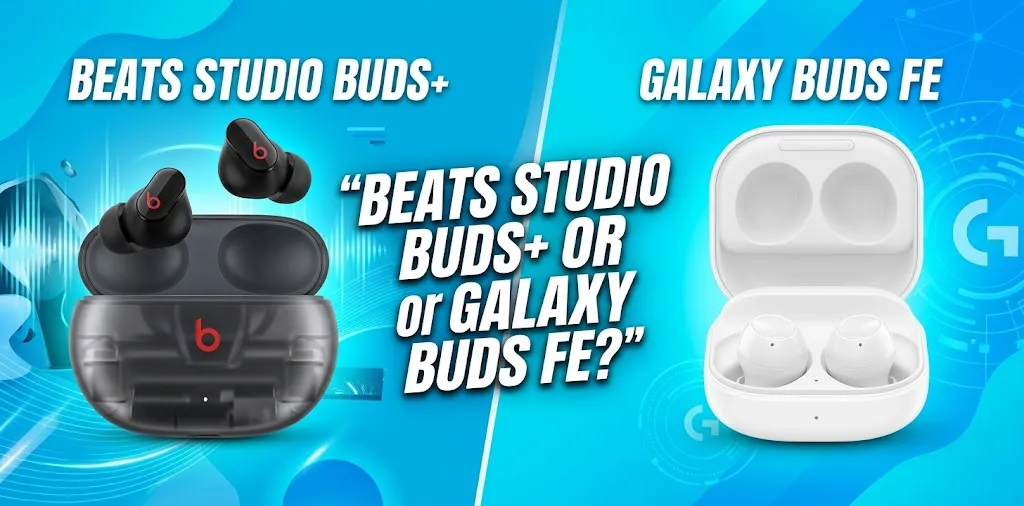
Battery life is one area where the Beats have a clear advantage on paper. With ANC and Transparency turned off, the Studio Buds+ are rated for up to 9 hours from the earbuds and up to 36 hours with the charging case. With ANC or Transparency enabled, those figures drop to 6 hours and 24 hours respectively. A five-minute Fast Fuel charge can provide up to an hour of playback. The Galaxy Buds FE are rated for up to 8.5 hours from the earbuds and 30 hours total, or up to 6 hours and 21 hours respectively with ANC enabled.
The difference is not huge for daily use, but the Beats give you more total listening time between case charges. If you often forget to charge your case or take long trips, the Studio Buds+ have the stronger battery setup.
Which Is Better for Calls?
Both earbuds have three microphones per earbud, but their approaches differ.
Beats uses upgraded voice-targeting microphones designed to improve call clarity and reduce background noise.
Samsung also uses a three-microphone system and says it is designed to separate your voice from unwanted background noise. Independent testing has found the Galaxy Buds FE microphone performance generally good for everyday calls.
For normal phone calls, meetings, and voice chats, both are capable. If calls are a major reason you’re buying earbuds, the surrounding environment matters almost as much as the earbuds themselves.
Which Is Better for Workouts?
The Galaxy Buds FE are the better choice for workouts.
Their stability fins help keep the earbuds secure during movement, which is useful for walking, gym sessions, and other everyday exercise. RTINGS also found the Buds FE comfortable and stable for sports and fitness.
However, neither model should be treated as waterproof.
The Studio Buds+ have an IPX4 rating, while the Galaxy Buds FE have an IPX2 rating. IPX4 provides better resistance to splashing water than IPX2, but neither rating means you should submerge the earbuds or expose them to heavy water.
What About Samsung Galaxy Phones?
This is where the Galaxy Buds FE make the strongest case for themselves.
Samsung designed the Buds FE to work with the Galaxy ecosystem, and features such as Galaxy Wearable support, Auto Switch, and SmartThings Find fit naturally into that environment.
The Beats Studio Buds+ still work well with Samsung phones. They support Google Fast Pair, Audio Switch, and Find My Device, and reviews have found their Android experience to be quite good even on Samsung Galaxy phones.
So buying Beats for a Galaxy phone is not a mistake. You’re simply giving up some of the tighter Samsung-specific integration that makes the Buds FE appealing.
What About Pixel and Other Android Phones?
For a Google Pixel or another non-Samsung Android phone, I would lean toward the Beats Studio Buds+.
You still get Google Fast Pair, Audio Switch, Find My Device, ANC, Transparency mode, and the Beats Android app. That makes the Studio Buds+ a more platform-neutral option.
The Galaxy Buds FE will still connect to many Android phones, but some features are tied more closely to Samsung devices. Samsung explicitly notes that feature availability can vary on non-Samsung devices.
This makes the Beats a particularly sensible choice if you are not sure whether your next phone will be Samsung.
Which One Should You Buy?
The right choice depends more on your phone and priorities than on the Beats versus Samsung brand name.
Choose the Galaxy Buds FE if:
- You use a Samsung Galaxy phone.
- You want a secure fit for walking or workouts.
- You like a stronger bass presentation.
- Samsung ecosystem features matter to you.
- You want a comfortable pair of earbuds for commuting and everyday use.
Choose the Beats Studio Buds+ if:
- You use a Pixel or another non-Samsung Android phone.
- You want to switch between Android and Apple devices.
- You want longer battery life.
- You prefer smaller, lightweight earbuds.
- You want Google Fast Pair and Find My Device support.
- You may change phone platforms later.
For example, imagine two buyers. One uses a Galaxy S-series phone and spends time at the gym. The Galaxy Buds FE make more sense because the Samsung integration and stability fins match that use case.
Another buyer uses a Pixel phone at work but sometimes uses an iPad or Mac. The Beats Studio Buds+ are the more flexible choice because they are designed to work across Android and Apple platforms.
Frequently Asked Questions
Still deciding between the Beats Studio Buds+ and Galaxy Buds FE? These common questions cover the key differences in Android compatibility, Samsung features, battery life, and everyday use to help you choose the right pair for your phone.
Are Beats Studio Buds+ good with Android phones?
Yes. The Beats Studio Buds+ support Google Fast Pair, Audio Switch, and Find My Device, and the Beats app provides additional controls and software updates on Android. They are one of the more Android-friendly Beats options.
Are Galaxy Buds FE better than Beats Studio Buds+ for Samsung phones?
Generally, yes. The Galaxy Buds FE are built around Samsung’s Galaxy ecosystem and support Galaxy Wearable, Auto Switch, and SmartThings Find, while some features can be limited when used with non-Samsung Android devices.
Which lasts longer, Beats Studio Buds+ or Galaxy Buds FE?
The Beats Studio Buds+ have the longer rated battery life. They offer up to 9 hours from the earbuds and 36 hours with the case when ANC is off, compared with up to 8.5 hours and 30 hours for the Galaxy Buds FE.
Final Verdict
For Android users overall, I would choose the Beats Studio Buds+ because they offer broader Android compatibility, longer battery life, and useful Google features without requiring a Samsung phone.
But for Samsung Galaxy users, the Galaxy Buds FE are the better buy. Their Samsung-focused features and stability-focused design make them a better match for people who already use Galaxy devices.
The practical tip is simple: choose based on your phone first, then your listening habits. If you own a Galaxy phone, start with the Buds FE. If you use another Android phone or move between Android and Apple devices, start with the Studio Buds+.