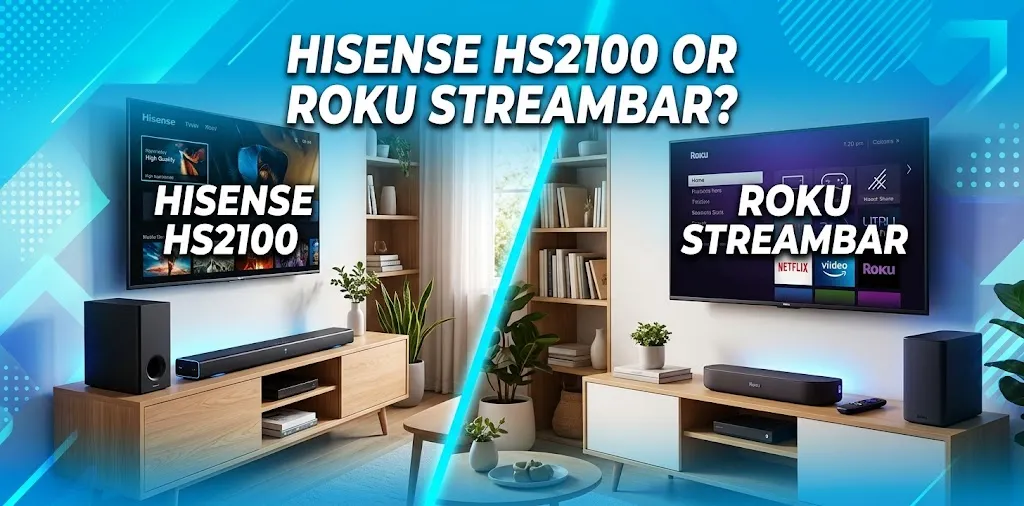
Hisense HS2100 or Roku Streambar? Which is easier to use?

If ease of use is your main priority, the Roku Streambar is generally easier for streaming and everyday TV control, especially if you already use Roku. The Hisense HS2100 is simpler as a traditional soundbar, with fewer smart features and a straightforward remote. So the easier choice depends on whether you want simple audio or simple streaming.
The Main Difference in How They Work
The biggest difference is that these two products are built around different ideas.
The Hisense HS2100 is primarily a traditional 2.1-channel soundbar system. It includes a separate wireless subwoofer, HDMI ARC, optical, AUX, USB, Bluetooth, and several preset sound modes. Hisense also lists it as Roku TV Ready, so it can work conveniently with a compatible Roku TV.
The Roku Streambar, meanwhile, combines a compact soundbar with a Roku streaming player. Instead of simply improving your TV’s audio, it also provides access to Roku’s streaming interface and lets you control compatible TV functions with the Roku remote.
That distinction matters because “easy to use” can mean two different things:
- Easy to get basic TV sound working: Hisense HS2100
- Easy to stream and control entertainment from one interface: Roku Streambar
- Easy setup with a Roku TV: Roku Streambar
- Simple soundbar with fewer smart features: Hisense HS2100
Hisense HS2100: How Easy Is It to Set Up?
The HS2100 has a fairly simple setup because there is no complicated smart platform to configure.
You connect the soundbar to your TV, usually through HDMI ARC, plug in the soundbar and subwoofer, and turn everything on. The wireless subwoofer connects to the soundbar without requiring a separate audio cable. Independent testing has described the setup as particularly straightforward.
If your TV supports HDMI ARC, the basic arrangement is especially simple:
- Connect HDMI from the HS2100 to the TV’s HDMI ARC port.
- Plug the soundbar into power.
- Plug the wireless subwoofer into power.
- Turn on the TV and soundbar.
- Select the appropriate sound output on the TV if necessary.
- Choose a sound mode with the Hisense remote.
There is no Roku account, streaming activation, or Wi-Fi setup required just to use the HS2100 as a TV soundbar.
That makes it appealing if you simply want to turn on the TV and hear better sound.
Where the HS2100 Is Particularly Simple
The HS2100 has six preset sound modes, including Movie, Music, Sports, News, Game, and Night modes. Hisense provides these through the included remote, so you don’t need to dig through a complicated app to make basic adjustments.
It also supports Bluetooth, so you can connect a compatible phone or other device for audio without adding another streaming box.
The trade-off is that the HS2100 does not have the Roku-style on-screen interface that helps you manage streaming apps and settings.
The HS2100’s Small Usability Drawback
The soundbar itself does not have a full display. It uses indicator lights to show certain status information.
That keeps the design simple, but it can make it harder to tell exactly which setting or input is active. AVForums also found the remote easy enough to operate but criticized the visibility of its button labels.
So the HS2100 is simple, but it is not necessarily the most informative system when you want to see what’s happening.
Roku Streambar: How Easy Is It to Set Up?
The Roku Streambar has a slightly different setup experience because it is both an audio device and a streaming device.
With a compatible TV, you connect the Streambar to the TV’s HDMI ARC port and follow Roku’s on-screen setup process. Roku says the Streambar can work with a TV that has an available HDMI port, although ARC is recommended because it simplifies the connection.
The basic process is:
- Connect the Streambar to power.
- Connect it to the TV using HDMI.
- Use the appropriate HDMI ARC connection when available.
- Switch the TV to the correct input.
- Follow the Roku setup instructions on the screen.
- Connect the Streambar to your network.
- Complete Roku activation and configure the remote.
The extra steps are necessary because the Streambar is not just a soundbar. It is also a Roku streaming device.
Why Roku Can Feel Easier After Setup
Once the initial setup is finished, Roku has a major usability advantage.
Instead of switching between a TV interface and a separate streaming device, the Roku interface is built into the Streambar. The included Roku remote can also control compatible TV functions.
Roku’s HDMI-CEC support can further reduce remote juggling. With CEC enabled, commands can pass between compatible devices over HDMI, allowing functions such as TV power and volume control from the Roku remote.
That is particularly useful for someone who wants a straightforward living-room setup.
Roku TV Makes the Streambar Even Simpler
If you’re using a compatible Roku TV, the Streambar can have an even easier setup experience.
Roku says compatible Roku TV models can automatically detect the Streambar and begin the on-screen setup process. ARC and CEC can also be enabled automatically on compatible setups.
That means a Roku TV owner can get a more integrated experience than someone using the Streambar with a non-Roku television.
Which One Requires More Setup?
This is where the answer becomes less obvious.
The HS2100 requires fewer steps if your only goal is better TV sound. You don’t have to create a Roku account or configure a streaming platform.
The Streambar requires more initial setup because it is doing more. You’re setting up both the soundbar and Roku’s streaming environment.
| Setup task | Hisense HS2100 | Roku Streambar |
|---|---|---|
| Connect to TV | Simple | Simple |
| HDMI ARC support | Yes | Yes |
| Wireless subwoofer | Yes | No built-in subwoofer |
| Wi-Fi setup | Not required for basic use | Required for Roku streaming |
| Streaming platform | No | Roku built in |
| Roku account | No | Yes for Roku features |
| On-screen setup | Minimal | Yes |
| Smart TV integration | Basic | Strong |
| Basic sound operation | Very simple | Simple |
| One-remote entertainment control | Depends on TV | Major strength |
| Available |  | |
So if you’re measuring setup simplicity alone, the HS2100 has the advantage.
If you’re measuring the simplicity of managing streaming and TV entertainment after setup, the Roku Streambar has the advantage.
Which Is Easier for Someone Who Is Not Tech-Savvy?
For a person who doesn’t want to deal with apps, accounts, Wi-Fi settings, or streaming menus, I’d lean toward the Hisense HS2100.
Its job is straightforward: connect it to the TV and use the remote to adjust the sound.
For example, imagine someone who mainly watches cable TV, local channels, DVDs, or streaming apps already built into their television. They may not need another smart platform at all. In that situation, the HS2100 avoids unnecessary setup.
But consider a different user who watches Netflix, YouTube, Disney+, Prime Video, and other streaming services and wants everything accessible through one interface. The Roku Streambar can make that daily routine easier because Roku is built directly into the device.
Which Remote Is Easier?
The answer depends on what you want the remote to do.
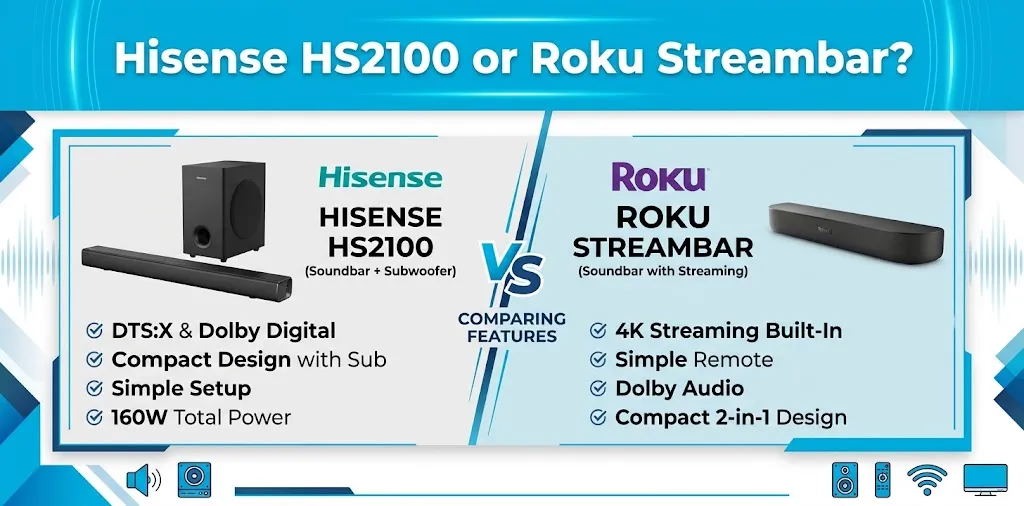
The HS2100 remote focuses mainly on audio controls. You can switch sound modes and adjust the soundbar without dealing with a large smart-TV interface.
The Roku remote has a broader role. It can operate Roku’s streaming interface and, when configured correctly, control compatible TV functions such as volume and power.
That means the Roku remote can reduce the number of remotes you use.
Roku’s official documentation explains that HDMI-CEC can allow the Roku remote to control compatible devices, although some functions may still require the original remote.
For a household that hates having multiple remotes on the coffee table, that’s a meaningful advantage.
What About an Older TV?
Your TV’s connections can change which product feels easier.
Both systems can use HDMI ARC, but the exact setup depends on what ports your television has.
With the Roku Streambar, Roku recommends HDMI ARC for the simplest connection. If your TV doesn’t have ARC, Roku says you can use an HDMI connection along with the included optical cable to send TV audio to the Streambar.
The HS2100 also provides HDMI ARC and optical connectivity, giving owners an alternative if their television doesn’t have a suitable ARC connection. Hisense lists HDMI ARC, optical, AUX, USB, and Bluetooth among its connectivity options.
Before buying either one, check the ports on the back of your TV. A few minutes spent checking this can prevent a frustrating setup later.
Which Is Easier for Everyday TV Watching?
For basic TV watching, the Hisense HS2100 has an important advantage: it does not try to be more than a sound system.
Turn on the TV, select the appropriate input, and use the soundbar or TV remote for volume.
The Roku Streambar is also straightforward once configured, but its strength comes from its additional streaming functionality. If you don’t need that functionality, some of its setup process may feel unnecessary.
On the other hand, if your TV has an outdated or confusing smart interface, the Roku experience can actually make everyday viewing easier.
This is one of the most important distinctions between the two.
Which Is Easier for Streaming?
For streaming, the Roku Streambar is the clear choice.
The original Streambar was designed as an all-in-one Roku streaming and audio product, so streaming is part of its core purpose. Customer feedback on the product has also frequently highlighted its ease of use and streaming experience.
The HS2100 does not compete in the same way. It can receive Bluetooth audio and work with a Roku TV, but it isn’t itself a full Roku streaming player.
So if the question is, “Which one makes streaming easier?” the answer is Roku.
Which One Should You Choose?
The easiest choice depends on the type of simplicity you want.
Choose the Hisense HS2100 if:
- You mainly want better TV sound.
- You don’t need another streaming interface.
- You prefer a traditional soundbar remote.
- You want a wireless subwoofer without complicated installation.
- You don’t want to create or manage another streaming account.
- You use your TV’s existing streaming system.
The HS2100 is especially attractive if simple audio is the goal.
Choose the Roku Streambar if:
- You want streaming built into the soundbar.
- You already use Roku.
- You want one remote for more of your entertainment setup.
- Your TV’s smart interface is slow, outdated, or difficult to use.
- You want an on-screen interface for streaming.
- You have a compatible Roku TV and want tighter integration.
The Streambar makes more sense when streaming convenience is part of the reason you’re buying the device.
Ease of Use vs. Audio Features
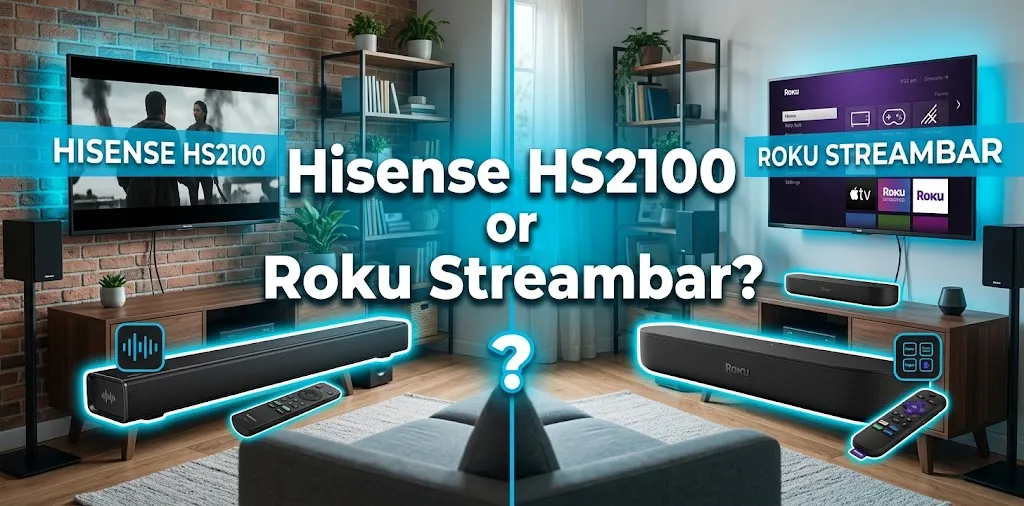
It’s also worth remembering that easier does not automatically mean better audio. The HS2100 is a 2.1 system with a dedicated wireless subwoofer. Independent testing found that the subwoofer gives it stronger bass and that the system supports Dolby Digital and DTS, although it does not support Dolby Atmos.
The Roku Streambar takes a different approach by combining a compact soundbar with streaming functionality.
So if your main concern is sound rather than streaming, don’t choose solely based on which interface looks easier. The HS2100’s dedicated subwoofer is a significant part of its appeal.
Two Real-World Buying Scenarios
Scenario 1: A bedroom TV
Suppose you have a bedroom TV that already has Netflix, YouTube, and other apps. You simply want fuller sound without adding another streaming system.
The HS2100 makes more sense. You can use it primarily as a soundbar and avoid setting up another smart platform.
Scenario 2: An older TV with a confusing smart interface
Now suppose your TV’s built-in interface is slow and you regularly switch between streaming services.
The Roku Streambar may be easier overall because it gives you a familiar Roku interface and combines streaming and audio in one device.
The initial setup takes longer, but the daily experience can be simpler.
So, Which Is Easier to Use?
If by “easy to use” you mean the fewest setup steps and the simplest soundbar experience, choose the Hisense HS2100.
If you mean the easiest way to combine streaming, TV control, and sound in one device, choose the Roku Streambar.
For most people deciding strictly on usability, I’d give the Roku Streambar the edge for overall entertainment convenience, while the HS2100 wins for basic plug-and-play audio. The difference comes down to what you actually want the device to do.
One other consideration is availability: the original Roku Streambar model 9102 has been sold through major retailers, and some current listings show it as sold out, so check the exact model before buying rather than assuming every “Roku Streambar” listing refers to the same product.
Frequently Asked Questions
Here are some common questions about the Hisense HS2100 and Roku Streambar, with clear answers to help you decide which soundbar is easier to set up and use for your home entertainment needs.
Is the Hisense HS2100 easier to set up than the Roku Streambar?
Yes, if you only want a soundbar. The HS2100 does not require you to configure a streaming platform, while the Roku Streambar needs additional setup because it includes Roku streaming functionality.
Is Roku Streambar easier to use with a Roku TV?
Generally, yes. Compatible Roku TVs can automatically detect the Streambar and guide you through setup, while ARC and CEC can simplify control between the TV, Streambar, and remote.
Which is better for someone who wants simple TV sound?
The Hisense HS2100 is the better fit if simple TV audio is your main goal. Its traditional soundbar design, wireless subwoofer, preset sound modes, and straightforward connections keep the focus on improving the TV’s sound rather than adding another streaming platform.
Final Verdict
For pure soundbar simplicity, the Hisense HS2100 is easier. It keeps the setup focused on audio and avoids the extra account and network configuration that comes with a streaming device.
For overall entertainment convenience, the Roku Streambar is easier because it combines streaming, audio, and TV control in one system.
If you’re buying mainly to make a TV sound better, go with the HS2100. If you want to simplify your streaming setup at the same time, the Roku Streambar is the better choice.